
The Ultimate Guide to Customizing ERPNext for HR and Inventory Management
A detailed guide on customizing ERPNext to streamline Human Resource Management (HRMS) and Inventory operations. Learn best practices for Frappe, MariaDB, and writing custom server-side scripts.
Rohit Sharma
Engineering Strategy
Perspective
Practical enterprise software guidance
Depth
1 focused sections
Use it for
ERPNext customization · Frappe Framework
Maximizing Enterprise Efficiency with ERPNext Customizations
ERPNext is one of the most versatile open-source ERP systems in the world, built on the lightweight and robust Frappe Framework. However, out-of-the-box configurations rarely meet the exact needs of growing enterprises. To truly unlock its potential, developers must customize the HRMS (Human Resource Management System) and Inventory modules.
The Power of the Frappe Framework
Frappe uses a metadata-driven architecture. Everything is a "DocType" (Document Type). Customizing ERPNext starts with understanding how to leverage Server Scripts, Client Scripts, and Custom Fields:
- Client Scripts: Execute custom JavaScript directly in the browser to control field visibility, perform client-side math, or fetch quick API responses.
- Server Scripts: Execute secure Python code triggered by document lifecycle events (e.g.,
before_save,on_submit). Perfect for validation rules and inventory audits. - Webhooks and REST APIs: Integrate third-party systems like biometric attendance machines or external e-commerce inventory syncs.
Automating HRMS and Biometric Payroll
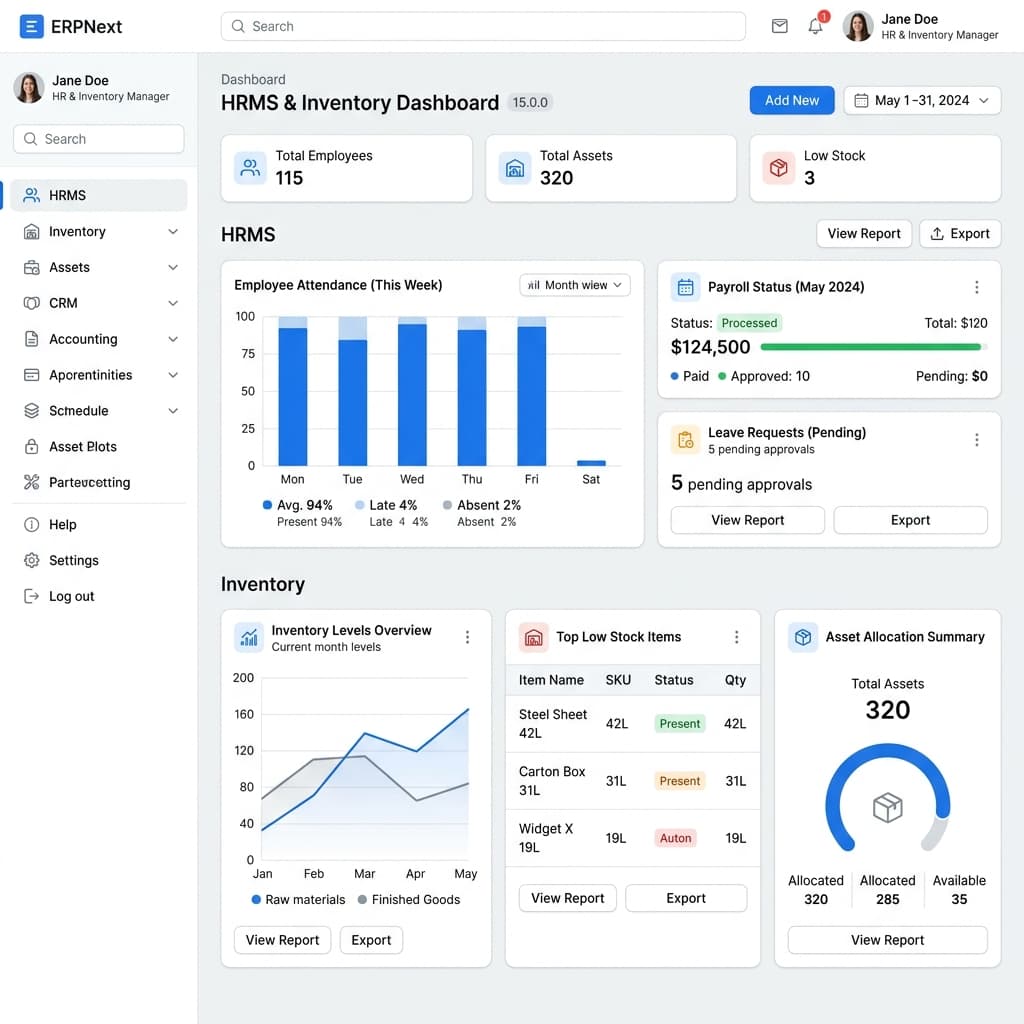
One of the biggest friction points in HR is payroll processing. By integrating biometric attendance logs directly via the Frappe API, we can automate salary slip generation based on actual hours worked. Custom Python hooks calculate overtime, deduct late entries, and generate bank-ready transaction sheets at the click of a button.
Real-Time Inventory & Multi-Warehouse Syncing
For businesses dealing with high-volume physical goods, manual stock counts lead to discrepancies. Customizing the Stock Ledger entry hooks allows us to:
- Establish automated restocking alerts (re-order levels).
- Perform automated FIFO (First In, First Out) inventory valuation.
- Synchronize inventory state with frontend web interfaces (like WooCommerce or custom React storefronts) instantly using webhooks.
By writing robust, maintainable customizations, organizations can scale their operations without outgrowing their software. If you want to see how automation systems are built for property management or hospitality platforms, read our guide on Airbnb Host Automation with Swabha.in.